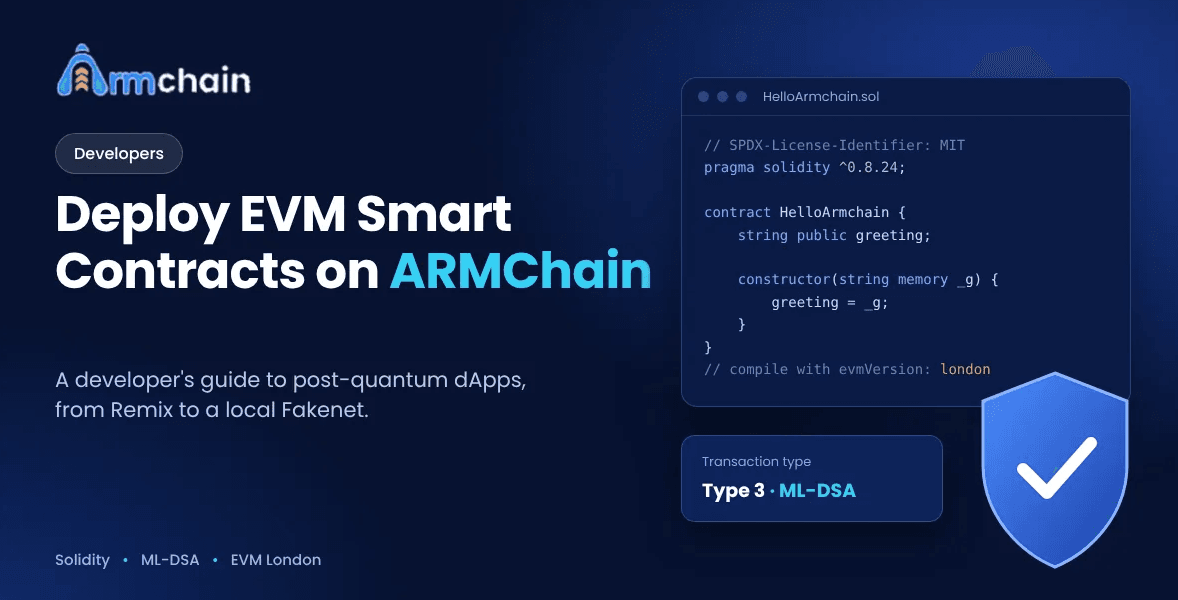
Deploying EVM Smart Contracts: A Developer’s Guide to Post-Quantum dApps on ARMChain
Deploy Solidity contracts on ARMChain, an EVM-compatible quantum-safe blockchain. A step-by-step guide for Melbourne developers using Remix and Fakenet.
Roohan Adeel
The first stumble on ARMChain is usually the signer. The contract compiles, the deploy script runs, and then the transaction bounces because Hardhat signed it with ECDSA. The Solidity is fine. The network won’t accept that signature.
That’s most of what you need to know about building on an EVM-compatible quantum-safe blockchain. ARMchain runs the London fork, so your existing contracts, OpenZeppelin imports, ABI encoding, and events work the same as on Ethereum. What changes is signing. ARMchain accepts only Type 3 transactions, signed with ML-DSA, and the ARMchain Ethers SDK handles that for you.
This guide deploys a contract the way you would on Ethereum and points out every place where ARMchain behaves differently. It’s written for post-quantum dApp development in Melbourne and the rest of Victoria, though nothing in it depends on where you are. If you can deploy a contract from Remix, you can follow along.
How EVM Compatibility Works on ARMChain
ARMchain targets the London hard fork. A Solidity 0.8.x contract uses the same opcodes, ABI encoding, events, and logs as on Ethereum, and addresses are 20 bytes.CREATEand CREATE2work the same way, and the standardeth_*. JSON-RPC methods return what you’d expect. Fees use EIP-1559 with a minimum gas price of 1 Gwei.
ERC-20, ERC-721, ERC-1155, and ERC-4626 all work, and so do OpenZeppelin’s UUPS upgradeable contracts. On an EVM Compatible Quantum Safe Blockchain the contract layer stays as it is, and only the signature underneath it changes.
London is the part that catches people. Shanghai added the PUSH0 opcode, and ARMchain doesn’t support it. Cancun features such as transient storage aren’t supported either. Solidity 0.8.20 and later compile for Shanghai by default, so if you leaveevmVersionalone, your bytecode can contain PUSH0 and fail on ARMchain. Set evmVersion to london and usepragma solidity ^0.8.24;, which is what the docs recommend.
The contract size limit is the same as Ethereum’s: 24,576 bytes. If a contract fits on mainnet, it fits here.
Type 3 Transactions on ARMChain
ARMChain accepts one transaction type. Type 3 has the same fields as an EIP-1559 transaction. Types 0, 1, and 2 are rejected because they’re signed with ECDSA.
The difference is at the end of the transaction. There is no v, r, or s. There’s a single signatureBlob field of 3,732 bytes: a 2,420-byte ML-DSA signature followed by the 1,312-byte public key. The key travels with the signature because ML-DSA has no public key recovery, so a node can’t work out the sender from the signature alone. It checks the signature against the key in the blob, then derives the sender address from the Keccak-256 hash of that key.
You won’t build this by hand. The ARMchain Ethers SDK,@armchain-ethersv6/ethers, is a drop-in replacement for ethers.js v6 and sets the transaction type to 3 for you. Standard ethers.js can still read balances, blocks, and contract state. t can’t sign, so anything that sends a transaction or signs a message needs the SDK. Wallet.createRandom() looks the same as before, but the private key it returns is 2,560 bytes.
To port an existing ethers v6 app, you make four changes:
Replace the ethers package with @armchain-ethersv6/ethers.
Update your imports.
Point the provider at an ARMchain RPC endpoint.
Generate new keys with the SDK. Your old ECDSA keys don’t carry over.
Contract calls, event listeners, and transaction building stay the same. One method is gone: Signature.recoverPublicKey() was removed, since the key is already inside the signature.
typescript
import { JsonRpcProvider, Wallet, parseEther } from "@armchain-ethersv6/ethers";
const provider = new JsonRpcProvider("http://localhost:4000"); // local Fakenet
const wallet = new Wallet(process.env.PRIVATE_KEY, provider);
const tx = await wallet.sendTransaction({
to: "0xRECIPIENT_ADDRESS",
value: parseEther("1.0"),
// the SDK sets type 3 for you
});
const receipt = await tx.wait();
console.log("Confirmed in block:", receipt.blockNumber);
Tooling Setup
You need Node.js 18 or later, theRemix IDE in a browser, and the SDK:
bash
npminstall@armchain-ethersv6/ethers
To deploy through a wallet, install the ARMchain Wallet browser extension. For local work you’ll run a Fakenet, covered below. This table shows what each tool can do:
Tool
What works
What doesn’t
Remix IDE
Compile, deploy, and call, using the ARMchain Wallet or a local HTTP provider
Nothing documented
ARMchain Ethers SDK
Signing, deploying, contract calls, HD wallets
Nothing documented
Standard ethers.js
Reading balances, blocks, and contract state
Signing transactions or messages
Hardhat
npx hardhat compile, artifacts, project layout
hre.ethers signers, deploying and sending transactions from tests, fork testing
Foundry
Not documented for ARMChain
Native ML-DSA signing
The rule is simple. Compiling works anywhere, and signing goes through the SDK. In practice, Hardhat becomes a compiler and a project layout, and deployment goes through Remix or the SDK.
Deploying Your First Contract in Remix
Remix is the quickest way to deploy. It compiles the contract, and your ARMchain Wallet signs the transaction, so you don’t need any local setup.
Don’t run it with npx hardhat run. That command injects Hardhat’s own ECDSA signer, and ARMchain rejects what it signs. For the same reason, avoid hre.ethers.getSigners(), hre.ethers.getContractFactory() and deployer.sendTransaction().
Testing Against a Local Fakenet
Fakenet is ARMchain’s local development network, similar in purpose to Hardhat Network or Ganache. It runs a private chain with auto-generated validators and pre-funded accounts, and every consensus, EVM and signing feature is switched on. Hardhat’s default test environment can’t send ARMchain transactions, so Fakenet is where you run integration tests.
To start a single-validator Fakenet from the armchain-client repository:
The RPC endpoint is now http://localhost:4000, and the chain ID is 55.
Each Fakenet validator starts with 1 billion ARM. To fund the wallet your tests use, attach to the node console, unlock the validator account with the Fakenet password and send some ARM to your SDK wallet:
Fakenet keys are deterministic and public, so never use them for anything real. To reset, stop the node and delete the data directory, or run clean.sh if you use the demo scripts. A multi-validator setup is also available with --fakenet 1/3, 2/3 and 3/3. TheFakenet guide has the details.
Writing ML-DSA Smart Contracts
Most contracts never touch signatures. If yours does, for example by checking a signed message from off-chain, there’s one thing to change.
ecRecover at address 0x01 still exists on ARMchain, so contracts that verify ECDSA signatures keep working. But it isn’t what ARMchain signs with. For ML-DSA Smart Contracts, use the pqcRecover precompile at address 0x13. It takes a 3,732-byte signature blob (signature plus public key), checks the ML-DSA signature, and returns the signer’s address as a 32-byte padded value. The address comes from the last 20 bytes of the Keccak-256 hash of the public key.
The signature blob is large, so a function that takes one as an argument carries about 3.7 KB of calldata in every call. Measure the gas on a Fakenet before you design an API around it, and don’t assume your ECDSA numbers still apply. Check theEVM integration page for the exact input format before you rely on pqcRecover for anything that holds value.
Gotchas Before Production
These are the points most likely to cost you time:
Issue
What happens
What to do
PUSH0 in bytecode
Deployment or execution fails
Set evmVersion to london
Hardhat signers
ECDSA transactions are rejected
Sign with @armchain-ethersv6/ethers, run scripts with node
Transaction size
A simple transfer is about 3,930 bytes against about 110 for ECDSA, roughly 36 times larger
Plan for bandwidth, storage and data gas
Gas price
The minimum is 1 Gwei
Don’t hardcode lower values
Block gas
The maximum is 20,500,000
Keep large deployments within it
Custom account validation
New AA opcodes that solc doesn’t recognise
Write those contracts in Yul
Contract verification
Source isn’t public until you submit it
Verify on the ARMchain Explorer
The Yul requirement applies only to custom account validation schemes and paymaster contracts. Ordinary Solidity contracts, such as tokens, NFTs and DeFi protocols, compile and deploy normally.
Execution cost doesn’t change. EVM computation uses the same gas as on Ethereum, and finality is still instant. The larger transaction affects bandwidth, storage and data-related gas. To verify a contract, open its address in the explorer, choose Verify & Publish, and submit the source, compiler version and constructor arguments. Single file, standard JSON input and multi-file verification are all supported. Before production, audit as you would on any chain.
Post-Quantum dApp Development From Melbourne
If you’re starting post-quantum dApp development in Melbourne, a week is enough to get a first contract running and understand the differences. A workable plan:
Day one. Deploy HelloArmchain from Remix and call it.
Day two. Start a Fakenet, fund an SDK wallet and deploy the same contract from a script.
Day three. Take one of your own contracts, set evmVersion to london and deploy it to Fakenet. Fix whatever breaks.
Day four. Write integration tests with the SDK against Fakenet, since Hardhat tests that send transactions won’t work.
Day five. Go through the gotchas table above, then decide whether the larger transaction size matters for your use case.
By the end you’ll know how much of your stack carries over, and the answer is usually most of it.
FAQs
Can I keep using Hardhat?
For compiling, yes. npx hardhat compile and the artifacts it generates work. Deployments and tests that send transactions don’t work with Hardhat’s built-in signers, so those go through the ARMchain Ethers SDK. Foundry doesn’t support ML-DSA signing natively.
Do my existing Solidity contracts need changes?
Usually not. Contracts compiled for London run unchanged. The thing to check is the compiler’s EVM target, because a Shanghai target can produce PUSH0, which ARMchain doesn’t support.
Does deploying cost more gas?
Execution gas is the same as on Ethereum. A deployment transaction is larger because of the 3,732-byte signature blob, so data-related gas is higher. Deploy to a Fakenet first and read the actual numbers.
Which wallet do I use with Remix?
The ARMchain Wallet browser extension, through Remix’s Injected Provider. For local development, you can select External HTTP Provider and enter http://localhost:4000 instead.
Key Takeaways
Writing Solidity for ARMchain feels like writing it for Ethereum. The work is in the signer, the compiler target, and the tooling around them. Once those three are set up, you deploy and test the way you always have, on a chain whose signatures are built for the quantum era.
Start with theARMchain documentation, deploy the example contract from Remix, and then move it to a Fakenet and a script.